 Download IT
 en
en Русский
Settings
Auto-download, caption options, RichMessage and your subscription.
Open Settings from the bot's menu or the Mini App's Settings tab:
In the bot
Press Settings under the /start message; every line is a toggle that flips on tap.
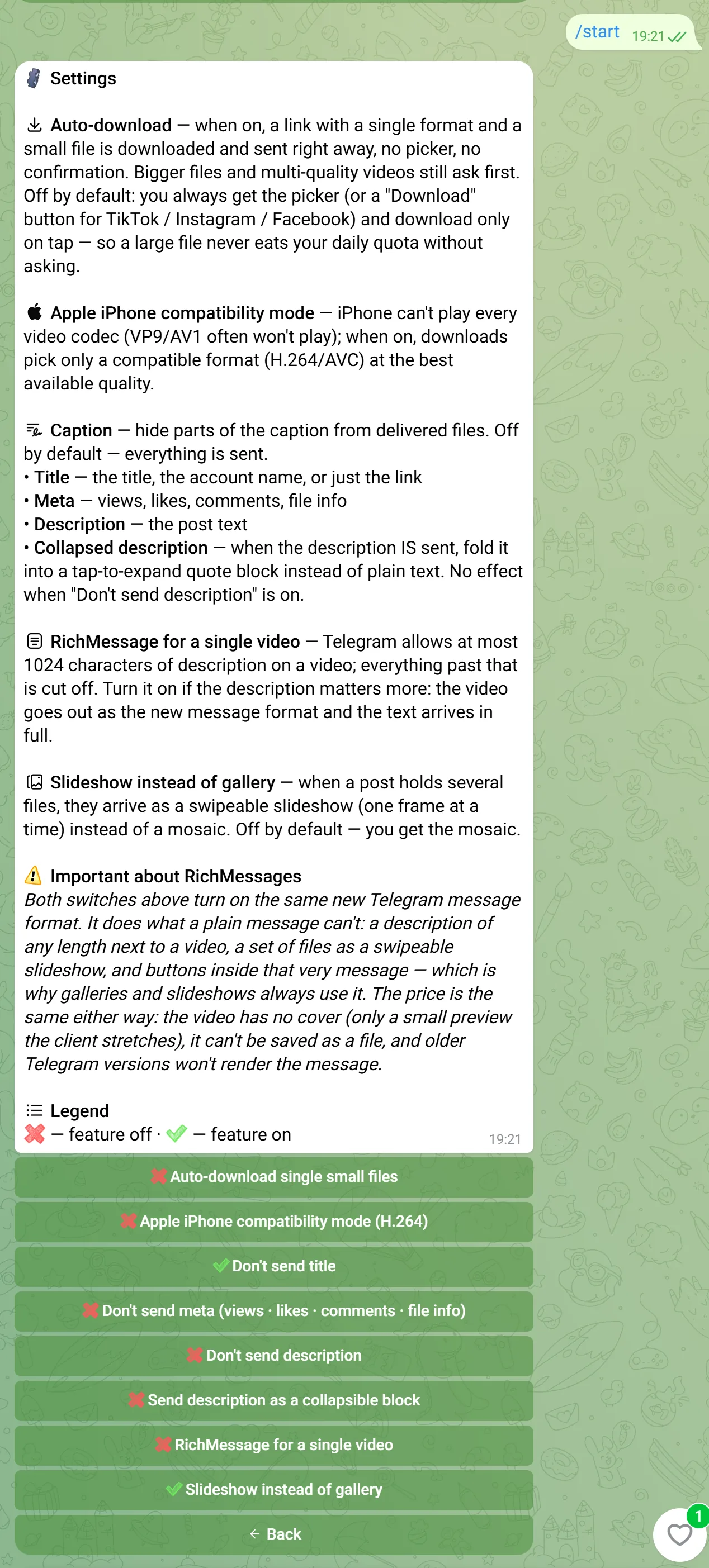
- Auto-download — deliver a single small format immediately, no picker; bigger or multi-quality files still ask first.
- Apple iPhone compatibility mode — only offer H.264 formats, since some iPhones can't play VP9/AV1.
- Caption — hide the title, meta (views/likes/file info) or description from delivered files, or collapse a long description into a tap-to-expand quote block.
- RichMessage for a single video — Telegram caps a plain video's caption at 1024 characters; this switch sends the video as a rich message instead so the full description arrives, at the cost of no cover image and no "save as file" option.
- Slideshow instead of gallery — a multi-photo post arrives as a swipeable slideshow instead of the usual photo-grid mosaic.
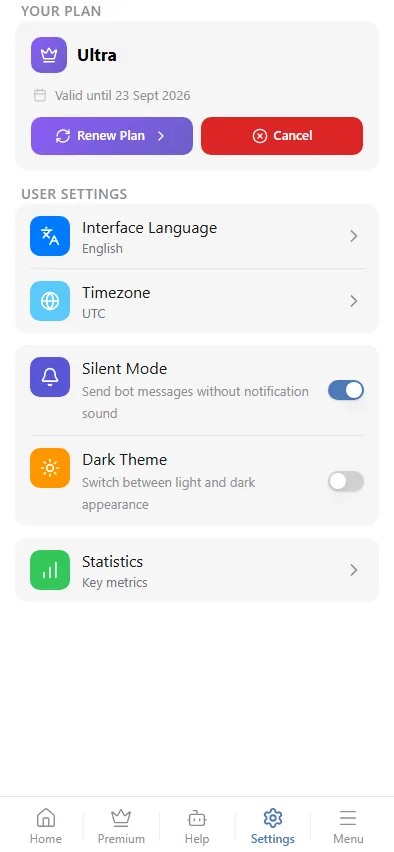
In the Mini App
Interface language, timezone, silent-mode notifications, dark theme, and your current plan (renew or cancel) — see Plans for the plan details themselves.